Checkered Christmas Tree Bow Canva Frame: Festive Design Made Simple
A Modern Holiday Asset for Designers and Creators
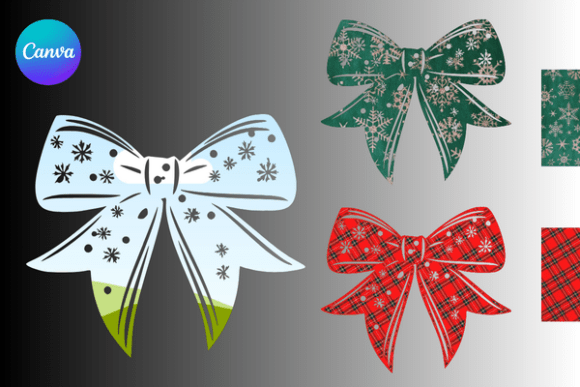
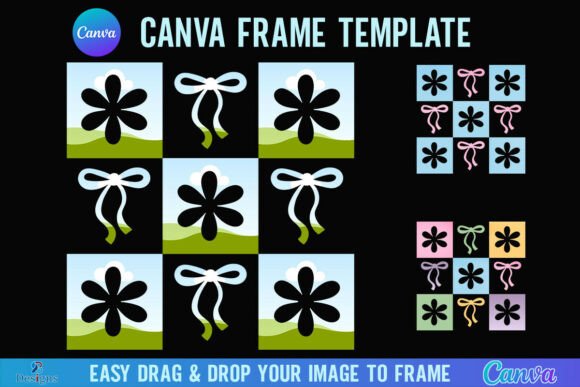
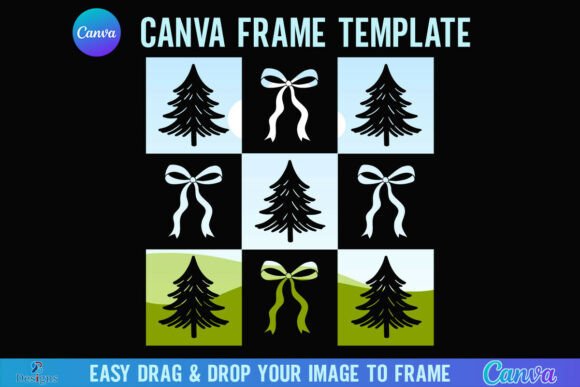
The Checkered Christmas Tree Bow Canva Frame is a contemporary design asset that merges traditional holiday motifs with a clean, geometric aesthetic. It features a stylized Christmas tree silhouette topped with a classic bow, all rendered in a playful checkered pattern. This creates a look that feels both festive and modern, avoiding the overly rustic or cartoonish styles that can sometimes dominate seasonal design. The overall personality is cheerful, structured, and versatile, making it an excellent choice for projects that need to feel celebratory without sacrificing a professional edge.
As a digital product, its strength lies in its immediate accessibility and adaptability. You receive a zip file containing a PDF with a direct link to a Canva frame template. This isn't a static image file; it's an interactive template within Canva's ecosystem. The frame is designed at a generous 4000x4000 px canvas size, providing ample resolution for both digital and print applications. The core mechanic is simple: drag and drop any PNG or JPG background image into the frame, and the image will conform to the tree and bow shape. This allows for infinite customization—you can fill it with a subtle texture, a bold color gradient, a festive photograph, or even a brand-specific pattern.
Practical Applications Across Creative Projects
This frame template shines in scenarios where visual impact and speed are equally important. For small business owners and entrepreneurs, it can be a cornerstone of seasonal brand identity and marketing efforts. Imagine using it to create a unique holiday logo mark, social media profile picture, or email header that instantly communicates seasonal cheer while maintaining brand consistency. The checkered pattern adds a layer of visual interest that can complement or contrast with existing brand colors, offering a fresh yet cohesive look for December campaigns.
For content creators, bloggers, and publishers, the frame is perfect for generating eye-catching social media graphics and editorial visuals. It can frame a quote, highlight a product feature in a gift guide, or serve as a decorative border for a holiday recipe post. The structured, geometric nature of the checkered design ensures it pairs well with clean sans-serif fonts for captions or more elegant serif typefaces for headlines, aiding in clear visual hierarchy. In packaging design or print projects, such as holiday cards or gift tags, the high-resolution frame provides a professional starting point that can be customized to match specific paper stocks or color palettes.
Integrating the Frame into Your Design Workflow
Effective use begins with understanding its native environment. This is a Canva Frame Template, which means its full functionality is unlocked within Canva. You will need a free Canva account to access and edit the template. The process is straightforward: open the provided link, and you're taken directly to the editable template. To fill the frame, simply upload your desired image to Canva's library, then drag it from the "Uploads" panel onto the frame. The image will automatically clip to the tree and bow shape.
A key consideration is the final output. If your project requires a transparent background—for example, to overlay the tree onto a complex website background or a layered print design—you will need a Canva Pro subscription or higher. The free version allows you to download the design with a solid background, but the transparent PNG option is a Pro feature. This is an important factor in your project planning.
Evaluating Fit and Customization
Before diving in, assess if the frame's style aligns with your project's tone. The checkered pattern conveys a specific vibe: it's graphic, slightly retro, and orderly. It works exceptionally well for brands or projects aiming for a "modern holiday" or "design-savvy" aesthetic. If your goal is a hyper-realistic or traditional Victorian Christmas feel, a different asset might be more appropriate. However, for many contemporary applications—from tech startups to boutique online stores—this style hits the right note.
Customization is where you make the asset your own. The frame is a vessel; the image you pour into it defines the final message. For a cohesive brand identity, consider filling the tree with a texture that echoes your packaging, or a color that matches your primary palette. For marketing materials, use a high-quality product photo or a lifestyle image that resonates with your audience. Experiment with opacity and layering within Canva. You could place the filled frame over a solid color background, or use it as a clipping mask for text, creating a dynamic typographic effect.
Technical Notes and Limitations
It's crucial to note the boundaries of this design asset. This is a Canva template, not an SVG file or a vector graphic for cutting machines. It is not suitable for use with Cricut Design Space or Silhouette software, as it lacks the necessary vector paths for physical cutting. Its purpose is digital and print design within graphic design platforms like Canva.
The 4000x4000 px size makes it robust for most applications, from social media posts to medium-format prints. For large-scale printing (like posters or banners), you may need to upscale the final design carefully, but for the vast majority of digital and standard print uses, it provides excellent quality.
Ultimately, the Checkered Christmas Tree Bow Canva Frame