Design Your Own Mystical Deck with a Tarot Card Editable Canva Frame Template
There is a certain allure to the tarot that goes beyond simple fortune-telling. It’s a visual language, a collection of archetypes and symbols that can tell a story, explore a concept, or create a stunning piece of art. For designers, entrepreneurs, and content creators, this rich visual tradition presents a unique opportunity. But creating a full tarot deck from scratch is a monumental task, requiring immense time, specialized skills, and a deep understanding of esoteric symbolism. This is where the practical magic of a Tarot Card Editable Canva Frame Template comes into play, offering a bridge between creative ambition and professional execution.
Beyond the Mystic: What is a Canva Frame Template?
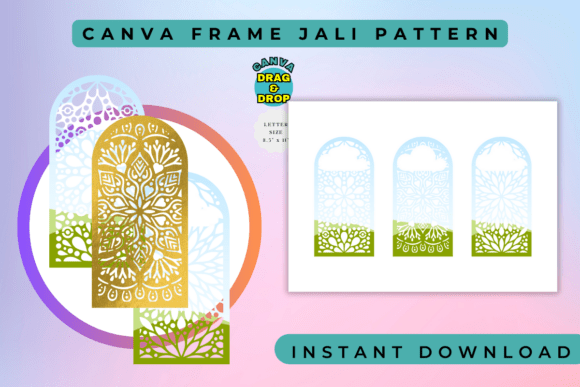
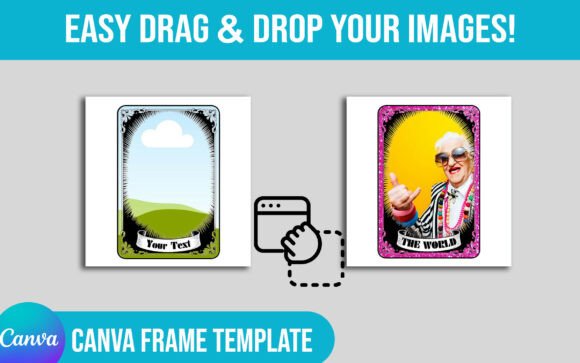
Forget the idea of a rigid, unchangeable design. A modern Canva frame template is a sophisticated design asset built for flexibility. Think of it as a beautifully crafted skeleton for your creative vision. The Tarot Card Editable Canva Frame Template provides the ornate borders, vintage flourishes, and classic tarot structure—complete with spaces for Roman numerals, card titles, and intricate corner details. The "editable" part is crucial. It’s not just a static image; it’s a fully customizable canvas within Canva. You can change the colors of the borders to match a specific brand palette, swap out decorative elements, and, most importantly, use Canva’s intuitive drag-and-drop interface to insert your own photography, illustrations, or AI-generated art into the designated areas.
The overall appeal lies in its blend of vintage tarot aesthetics with modern digital convenience. The visual personality is often one of timeless elegance, drawing on art nouveau or Victorian design sensibilities. This style immediately lends a sense of history, depth, and seriousness to your project. It’s a premium font equivalent for card design—a creative font for your visual storytelling that signals quality and thoughtfulness. Whether you're aiming for a classic, mystical vibe or using the ornate frame as a counterpoint to modern imagery, the template provides a powerful foundation.
Practical Magic: Where This Template Truly Shines
The real-world applications for a tarot card template extend far beyond creating a traditional 78-card deck. Its versatility makes it a valuable tool for a wide range of creative and commercial projects.
- Branding and Marketing: Imagine a coaching business using a custom tarot deck as a unique client giveaway. Each card could represent a core value or a step in their proprietary process. A coffee shop could create a set of "pick your brew" cards using the tarot card design for an interactive marketing campaign. The vintage style frame adds a layer of sophistication that elevates a simple promotional item into a memorable brand touchpoint.
- Digital Content Creation: Bloggers and social media managers can use the frames to create a series of "card of the week" posts, offering bite-sized wisdom or tips related to their niche. The consistent tarot frame creates a recognizable visual series that boosts audience engagement and strengthens brand identity. It’s a fantastic way to use social media graphics to build a narrative.
- Personal Projects and Gifts: For the hobbyist or crafter, this is a dream. You can create a deeply personal diy card deck for a loved one, featuring family photos or inside jokes. Design a set of oracle cards based on your own affirmations. The process is accessible, turning a complex design task into a fun, creative session.
- Publishing and Editorial Design: Authors or publishers of fantasy, historical fiction, or spiritual non-fiction can use the templates to create companion materials for a book. A set of printable tarot card designs can be offered as a bonus for newsletter subscribers, adding tangible value and strengthening reader loyalty.
From Template to Treasure: Making It Your Own
Simply dropping an image into a template isn’t enough to create a compelling final product. The key is to treat the tarot deck template as a starting point for your own custom tarot design. The true value emerges when you infuse it with your unique perspective.
Start by defining your concept. Are you creating a "Tarot for Entrepreneurs" deck? A "Botanical Oracle"? A "Pop Culture Tarot"? Your theme will guide every decision, from the imagery you choose to the color palette you apply to the frame. This is where you move from being a user of design assets to a true art director. Consider the font pairing for the card titles and numbers. While the template may come with a suggested typeface, you can often find a sans serif font or a script font in Canva that better suits your modern or whimsical theme.
Here are a few practical recommendations for achieving a professional result:
- Evaluate the Frame's Personality: Does its ornate, vintage tarot frame style align with your project's core message? A sleek, minimalist tech brand might find it a mismatch, whereas a wellness coach or a fantasy author would find it a perfect fit.
- Focus on Visual Hierarchy: The frame is your primary graphic element. Ensure your central image is powerful but doesn't overwhelm the delicate details of the border. Use the space for text intentionally. The card's name should be legible and clear.
- Test for Readability: If you plan to print your cards, do a test print. Colors on screen can look different on paper. Ensure any text you add is large and clear enough to be read easily, especially if you're using a more decorative handwritten font.
- Think About Consistency: The power of a deck lies in its cohesion. Use the same frame across all your cards. Apply a consistent color palette and stick to one or two complementary fonts to create a unified and professional custom deck.
The Tarot Card Editable Canva Frame Template is more than just a blank tarot card. It's a strategic shortcut, a design accelerator that handles the most laborious part of the process. It empowers you to focus on the creative and conceptual work that makes a deck truly meaningful. By combining the timeless appeal of the frame with your own unique content, you can produce a high-quality, custom tarot deck that looks like it was commissioned from a high-end graphic design studio, all through the accessible power of Canva drag and drop.